Local Weather News - Radar
EASE GroupNews & Magazines
4.32.13K Reviews
- Version
- 1.8.9
- Installs
- 5.00M
- Age Rating
- Everyone
Screenshots
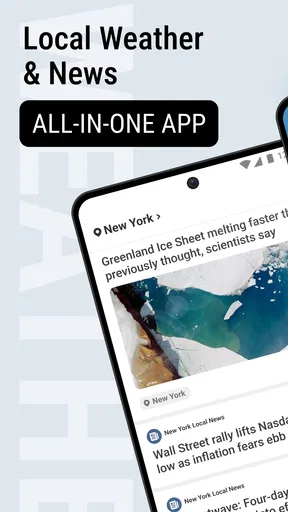
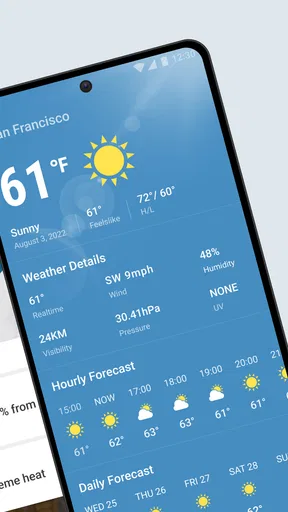
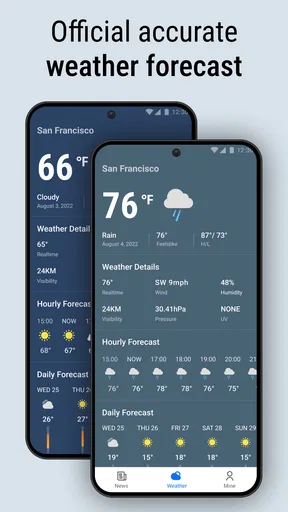
Our Review of Local Weather News - Radar
 Analysis by Appyee
Checking the weather often happens at exactly the wrong moment: when I’m already walking to the bus, deciding whether to leave home, or trying to work out if a dark cloud is moving toward me. That is the kind of everyday uncertainty Local Weather News - Radar is meant to help with. It brings weather information and news together, so I can check local conditions and then glance beyond my neighborhood without switching straight to a separate news app.
It is a free weather app from EASE Group, in the News & Magazines category. Its mix of local forecasts, radar and wider news makes it more than a simple temperature display, although the experience depends on having a useful connection when current information matters. I see it as a practical option for people who want a quick planning check, not as a replacement for official emergency instructions or specialist forecasting tools.
When a connection changes the experience
The app’s most useful moments are the ones when I can get a fresh view before making a decision. Radar is valuable when rain looks close, while the forecast helps me decide whether to take a jacket or shift an outdoor plan. These are network-dependent checks: the point is to see current conditions, so I would not treat a previously viewed screen as a promise that the situation has stayed the same.
That distinction matters if I’m heading into an area with a patchy signal. I’d check the forecast before leaving, then use the radar when I have a connection rather than assuming it will keep updating throughout a journey. If I’m making a safety-critical decision, I’d also consult local official weather alerts. A convenient app can support planning, but it shouldn’t be the only source I rely on during dangerous weather.
Useful in short mobile routines
I find a weather app most helpful when it fits into a small routine instead of demanding attention all day. A quick morning check can help me choose clothes and decide whether to carry an umbrella; another glance before leaving work can tell me whether to walk, wait, or change plans. The hourly forecast is especially useful when the question is not simply “What will the weather be today?” but “What should I expect around the time I’ll be outside?”
For a realistic example, imagine I’m about to take a long walk and the sky is already turning gray. I can check the radar for approaching rain, compare that with the forecast for the hours I’ll be out, and then decide whether to shorten the route. That is a more useful workflow than opening the app, seeing one temperature, and assuming the rest of the day will stay the same.
What to do when information seems stale
Like other apps that present current conditions, this one is only useful when the information on screen is fresh enough for the decision at hand. If a radar view or forecast does not appear to reflect what I’m seeing outside, I first check whether my connection is working and give the content a chance to refresh. I avoid making a high-stakes choice from a screen that may be out of date.
There is a practical trade-off here: checking repeatedly can be reassuring, but it can also turn a simple forecast into a distraction. I prefer to look at the radar when weather is likely to affect a specific plan, then check again closer to departure if conditions are changing. That gives me a useful snapshot without treating every small shift as a reason to keep refreshing.
Keeping data use purposeful
Radar imagery and frequently refreshed information are more demanding than glancing at a text forecast, so I use the map when it answers a real question rather than leaving it open out of habit. If I’m on a limited mobile connection, I can check the forecast first and open radar only when I need to judge where precipitation is moving. That small change makes the app more deliberate to use and keeps the map from becoming background browsing.
The broader news section has a different job from the local forecast. I’d turn to it when a weather event elsewhere could affect travel or when I want context beyond today’s conditions, not when all I need is to know whether to bring a coat. Separating those two needs helps the app feel like a useful combination rather than a reason to scroll through updates that do not affect my plans.
First Impressions
Right off the bat, Local Weather News - Radar greets you with a clean and intuitive interface. It's like having a mini meteorologist in your pocket. The app is neatly laid out, making it super easy to find what you need without any fuss. No more getting lost in complicated menus—just straightforward weather info at your fingertips.
Features That Shine
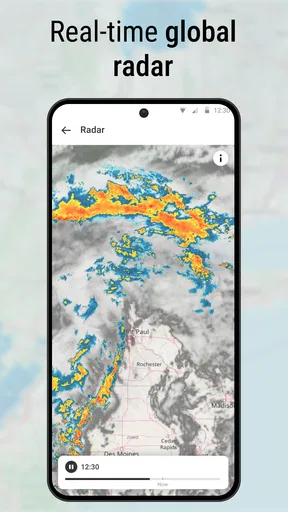
One of the standout features is the radar. I mean, who doesn't love a good radar map? It's detailed, accurate, and updates in real-time, so you always know what’s coming your way. Whether it's light showers or a thunderstorm, you're covered.
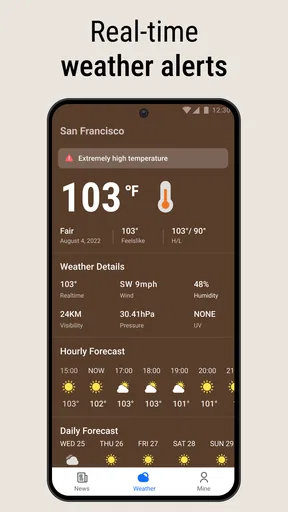
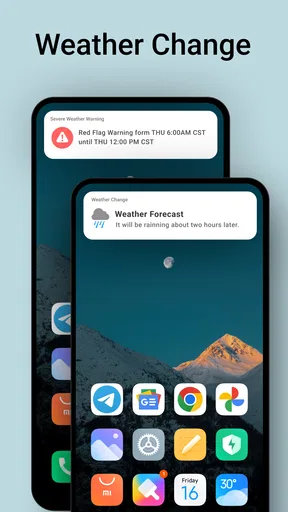
Another gem is the customizable alerts. I set mine up for severe weather notifications, and it’s been a game-changer. It’s like having a little weather wizard whispering in your ear, keeping you updated so you can plan your day accordingly.
The Daily Forecast
The daily forecasts are super detailed, breaking down the weather hour by hour. I love that it includes everything from temperature to wind speed and even UV index. It’s perfect if you’re planning outdoor activities or just deciding on what to wear.
Oh, and speaking of planning, the app’s weekly outlook gives you a nice overview of the upcoming week. It's like having a crystal ball for the weather!
Additional Perks
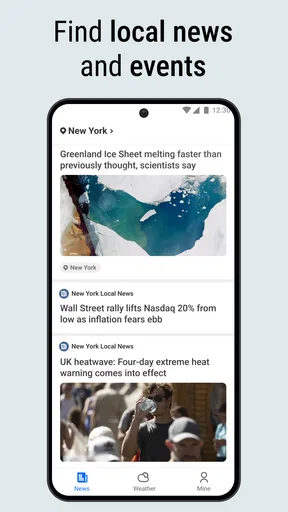
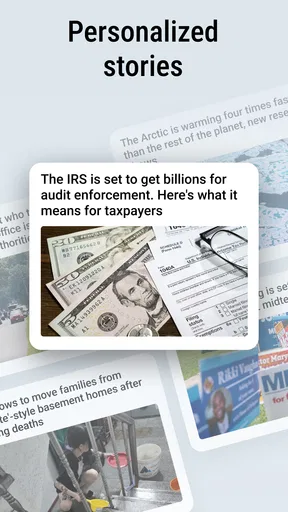
Besides the core weather functions, there are some nifty extras. The news section keeps you updated on global weather events, which is pretty cool if you’re a weather nerd like me. And for those who like to keep it social, there’s an option to share weather updates directly with friends. Handy, right?
How it fits beside other weather apps
Compared with a basic weather app that puts the current temperature front and center, this one offers more ways to make a decision: a radar view, a day broken into hours, a wider outlook and weather-related news. I like that combination when I want one place to check both the local picture and the larger story. If I only need a bare-bones temperature readout, a simpler app may be quicker and less distracting.
It also differs from a dedicated severe-weather service in purpose. The radar and alerts can help me stay aware, but when an official warning or an urgent local instruction matters, I would check the responsible public authority as well. The best choice depends on the task: this app suits everyday planning, while specialized sources are better for detailed meteorological analysis or emergency guidance.
Who will get the most from it
I’d recommend it to someone who checks the weather several times a day, plans walks or errands around rain, or likes to follow weather stories beyond their immediate area. The hourly breakdown is useful for people with schedules that shift during the day, and the weekly outlook gives a broad planning view without requiring a separate calendar of weather checks.
It may be less appealing if you want only a minimalist glance, dislike having news alongside forecasts, or need a tool built for professional weather work. It is also not a substitute for checking conditions again when plans depend on rapidly changing weather. For me, it works best as a handy everyday guide rather than a definitive authority.
Availability and day-to-day fit
The app is rated for Everyone and is free to use. It has an average rating of 4.4 from around 8.8 thousand ratings, with over a million installs. Those figures suggest that it has found a broad audience, but they do not tell me whether its particular mix of radar, forecasts and news suits every person; the deciding factor is whether I actually use those pieces.
It was released on August 12, 2022, and version 1.8.2 is listed for devices running Android 8.0 or later. That makes the operating-system requirement worth checking before installing, especially on an older phone. I would also consider whether I want weather news in the same place as local forecasts, because that combination is a genuine part of its character rather than a feature everyone needs.
Small habits that make it more useful
One tip I find worthwhile is to start with the question I’m trying to answer. For clothing, the hourly forecast is the sensible first stop; for a route that could be interrupted by rain, the radar is more relevant; for a general plan later in the week, the outlook gives a quicker overview. Choosing the view by task saves time and keeps me from treating every screen as equally important.
I also use sharing selectively. Sending a weather update can help coordinate an outdoor plan with friends, but the useful part is the decision attached to it: whether to meet earlier, bring suitable clothing, or choose another activity. A shared snapshot is not a guarantee that everyone’s local conditions will match, so I treat it as a prompt to coordinate rather than a final forecast for every person.
A measured recommendation
The app’s appeal is the way it brings several everyday weather needs together: checking local conditions, looking at radar, planning by the hour, and browsing weather news. The main trade-off is that more information is not automatically better. If I’m in a hurry, I want the forecast to answer my question quickly; if the news or map pulls me away from that, I can simply use the section that matters and move on.
With 1.1 thousand reviews, it has prompted plenty of user feedback, but I would still judge it by my own routine: does the radar help me time a walk, and does the hourly view change what I pack? Those are more meaningful tests than installing another weather app and browsing every screen once. I’d give it a try if I want local planning tools paired with weather coverage, while keeping an official source close for urgent warnings.
Final Thoughts
All in all, Local Weather News - Radar is a must-have app for anyone who likes to stay one step ahead of the weather. It’s user-friendly, packed with features, and just plain reliable. Whether you're planning a picnic or just trying to dodge the rain, this app’s got your back. So go ahead, give it a download and never get caught off guard by the weather again!
Privacy and Permissions
See what permissions an app requests and how it handles your data.
- Location
- approximate location (network-based)
- Phone
- read phone status and identity
- Photos/Media/Files
- read the contents of your USB storage, modify or delete the contents of your USB storage
- Storage
- read the contents of your USB storage, modify or delete the contents of your USB storage
- Wi-Fi connection information
- view Wi-Fi connections
- Device ID & call information
- read phone status and identity
- Other
- view network connections, full network access, run at startup, prevent device from sleeping
Verdict
Strengths of Local Weather News - Radar
- Accurate real-time weather updates.
- User-friendly interface with easy navigation.
- Detailed radar maps for precise tracking.
- Customizable alerts for severe weather.
- Integrates smoothly with smart devices.
Limitations of Local Weather News - Radar
- Frequent ads can interrupt user experience.
- Limited free features without subscription.
- Occasional delays in radar updates.
- Requires stable internet for full functionality.
- Some minor bugs in the notification system.
Other Releases by EASE Group
View All
Local News - Latest & Smart
News & Magazines4.1
Similar Picks in This Category
View All
Google News - Daily Headlines
Google LLC4.0

X
X Corp.4.8

Flipboard:Your Social Magazine
Flipboard3.4

Opera News: breaking & local
Opera4.5

Hindi News by Dainik Bhaskar
Dainik Bhaskar Group4.0

Way2News Daily News App
Way2News ( Formerly Way2SMS )4.6
Frequently Asked Questions
What features does Local Weather News - Radar offer?
Local Weather News - Radar provides real-time weather updates, detailed forecasts, and radar maps. It includes alerts for severe weather conditions and customizable notifications. Users can also view hourly and weekly forecasts, making it a comprehensive tool for staying informed about weather changes.
Is Local Weather News - Radar available for both Android and iOS devices?
Yes, Local Weather News - Radar is available for download on both Android and iOS platforms. Users can find it on the Google Play Store for Android devices and the Apple App Store for iOS devices, ensuring wide accessibility across different devices.
Does Local Weather News - Radar require a subscription for full access?
Local Weather News - Radar offers a free version with basic features. However, for an ad-free experience and additional features like advanced radar options, users might need to subscribe to a premium version. The subscription details and pricing can be found within the app.
How accurate are the weather forecasts provided by Local Weather News - Radar?
The app uses advanced meteorological data and radar technology to provide accurate and up-to-date weather forecasts. While no weather app can guarantee 100% accuracy due to the unpredictable nature of weather, Local Weather News - Radar strives to deliver reliable information to its users.
Can I customize the notifications in Local Weather News - Radar?
Yes, users can customize notifications to receive alerts for specific weather conditions, like rain, storms, or temperature changes. This feature allows users to stay informed about weather changes that are most relevant to them, enhancing their overall experience with the app.
